Category: General Help
Website help that applies broadly to clients, including login, browser, cache, and everyday WordPress tasks.
-
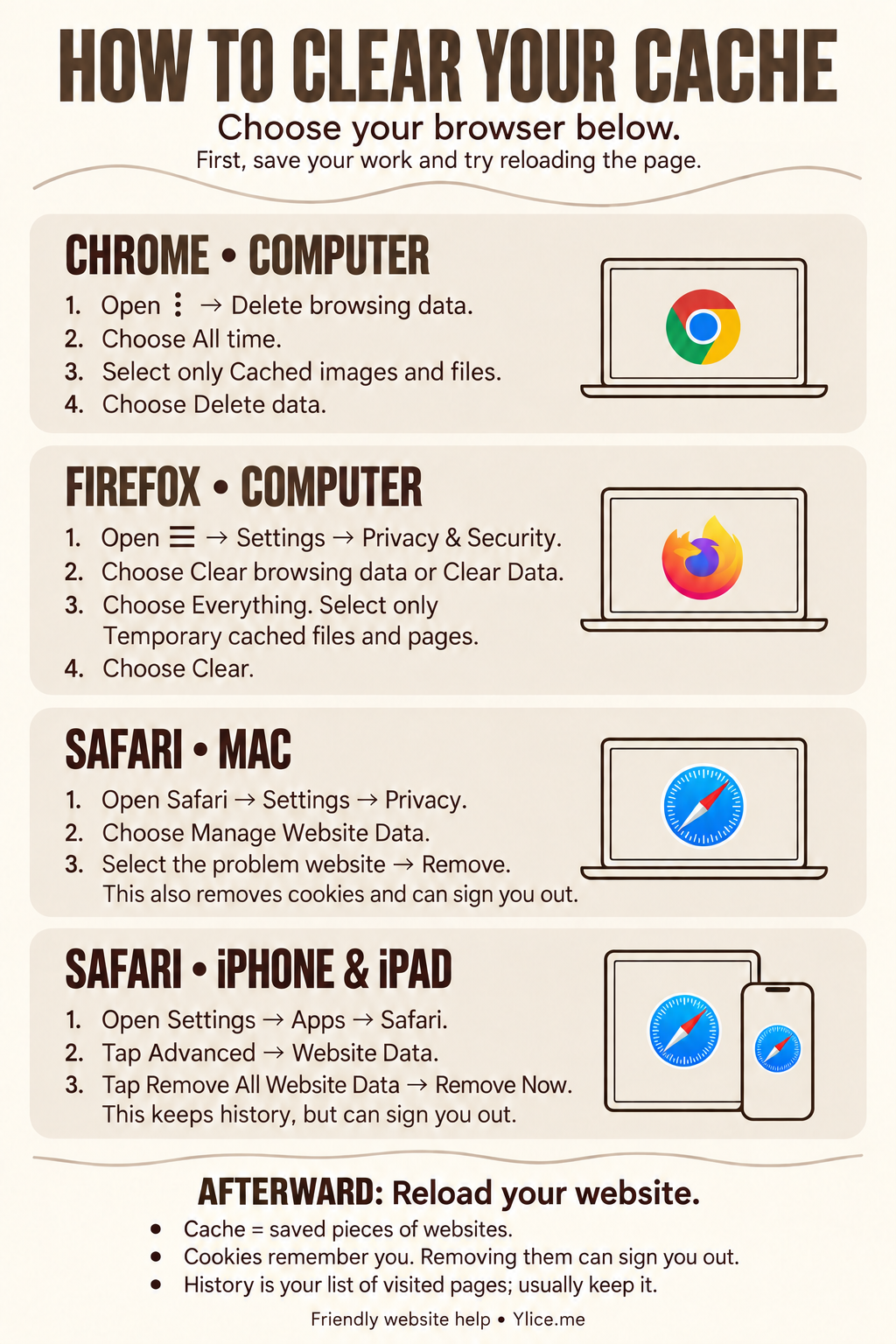
How to Clear Your Cache
See a fresh version of your website with friendly cache-clearing steps for Chrome, Firefox and Safari, plus one downloadable large-print guide for computers, iPhone and iPad.
-
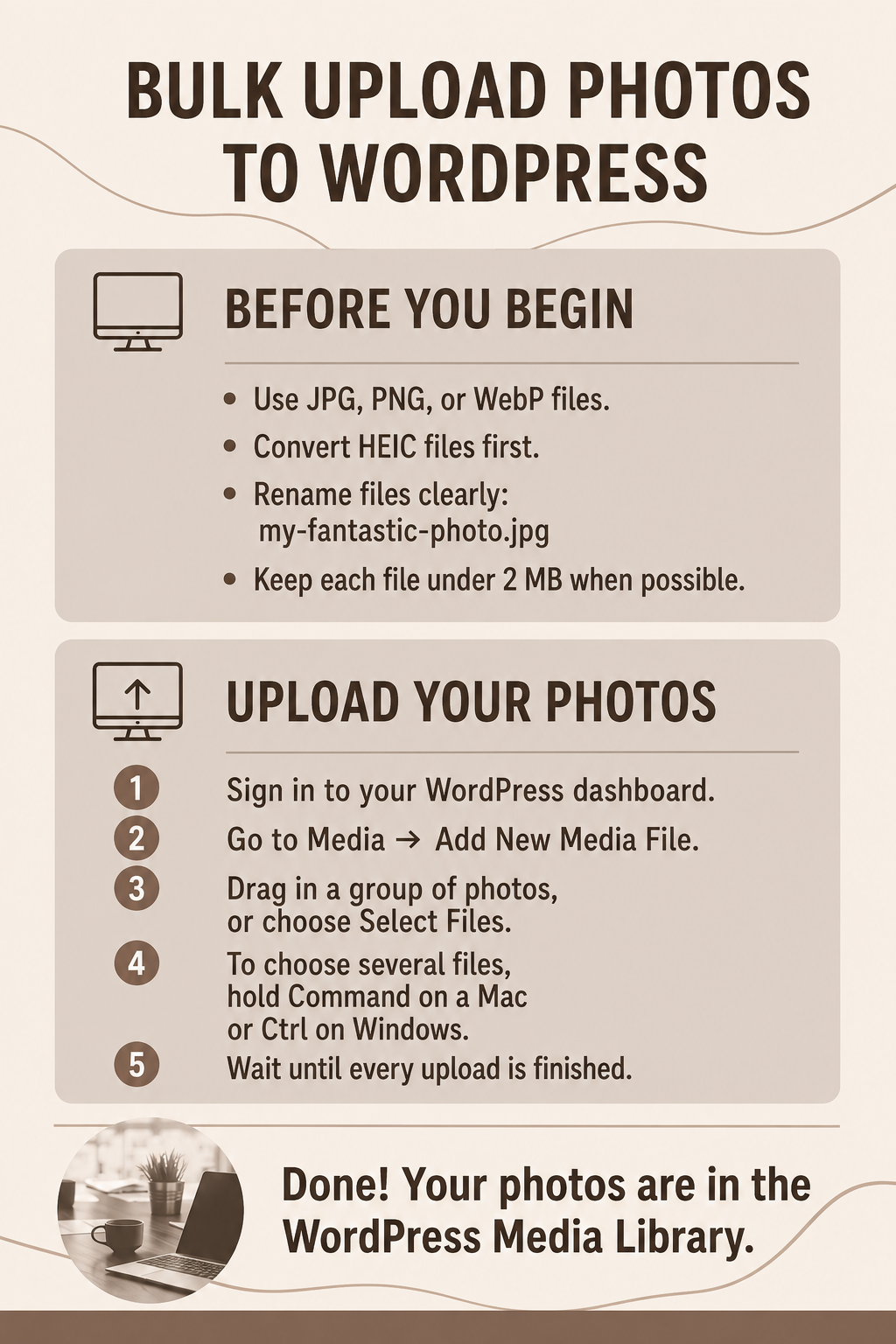
How to Prepare and Bulk Upload Photos to WordPress
Learn how to convert HEIC photos to JPG or PNG and bulk upload images to WordPress, with downloadable large-print guides for Mac, Windows, Chromebook, iPhone, and iPad.
-

How to Log In to Your WordPress Website
Before You Begin You need your website login address, WordPress username or email address, and password. Keep these separate from your hosting-account login. Log In Open the private WordPress login link provided with your website. Enter your WordPress username or email address. Enter your password. Select Log In. After login, WordPress opens the Dashboard. Use…