Author: Ylice
-
How to Clear Your Cache
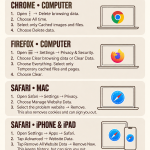
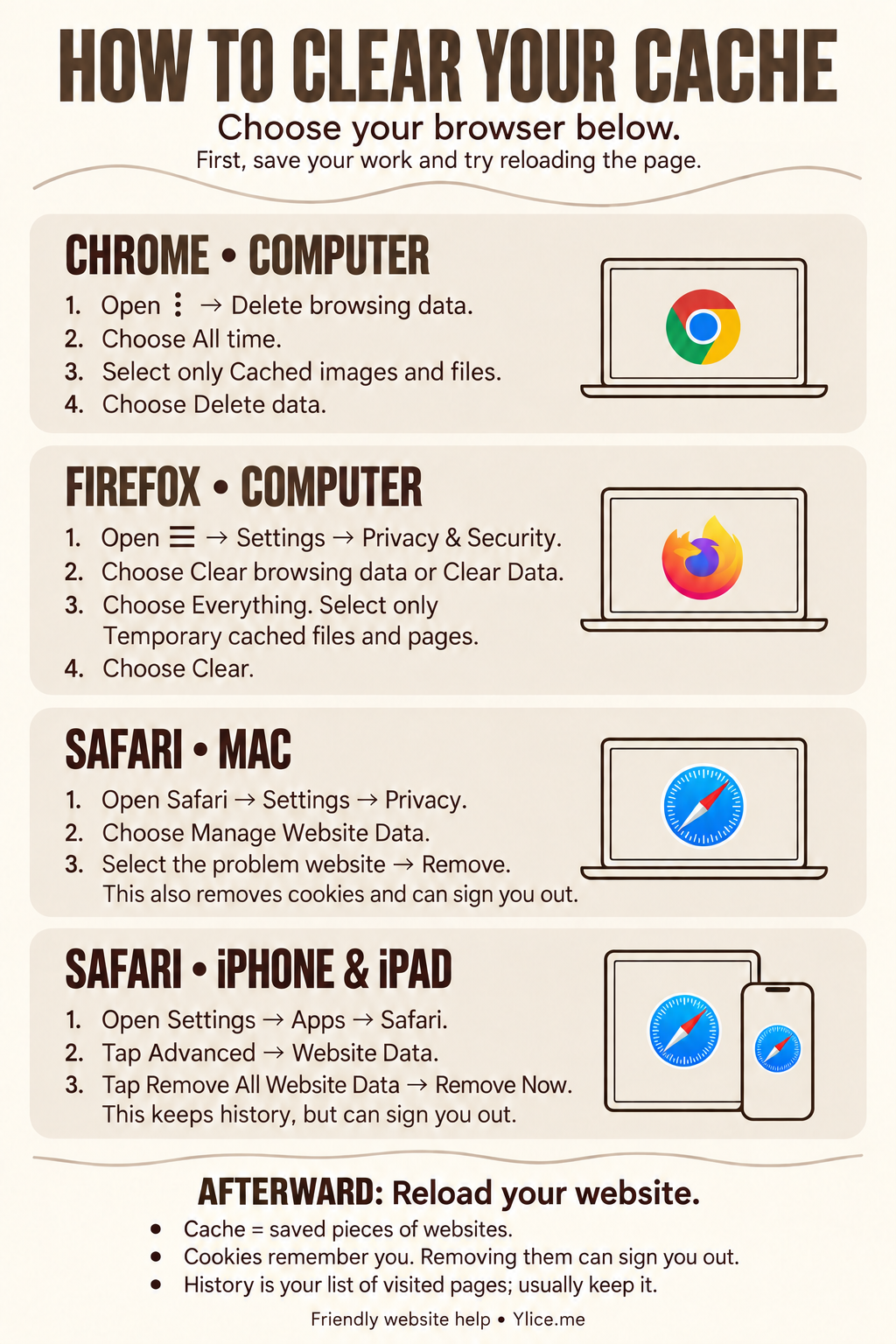
See a fresh version of your website with friendly cache-clearing steps for Chrome, Firefox and Safari, plus one downloadable large-print guide for computers, iPhone and iPad.
-
How to Prepare and Bulk Upload Photos to WordPress
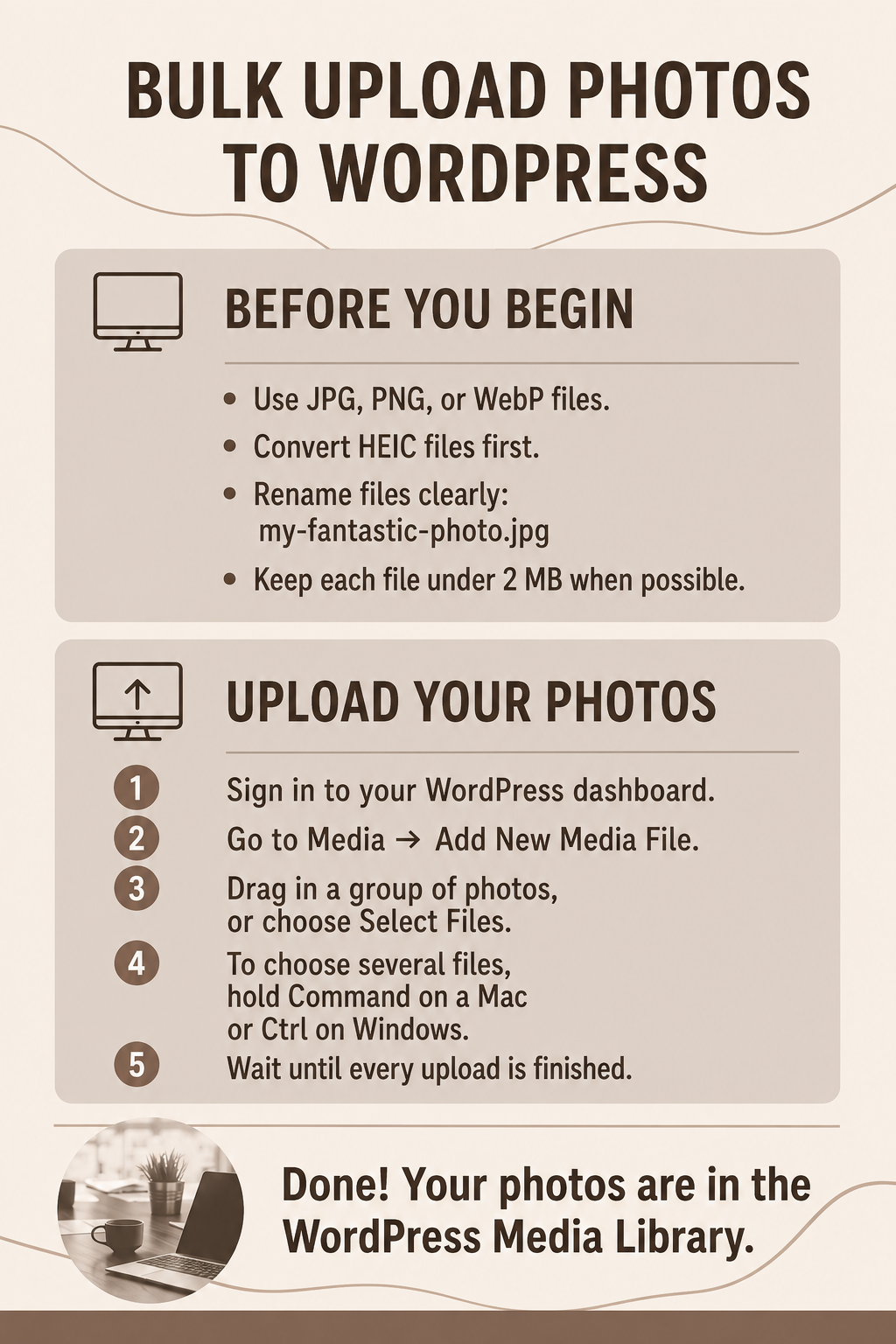
Learn how to convert HEIC photos to JPG or PNG and bulk upload images to WordPress, with downloadable large-print guides for Mac, Windows, Chromebook, iPhone, and iPad.
-
How to Fix “Updating Failed: Invalid JSON Response” in WordPress
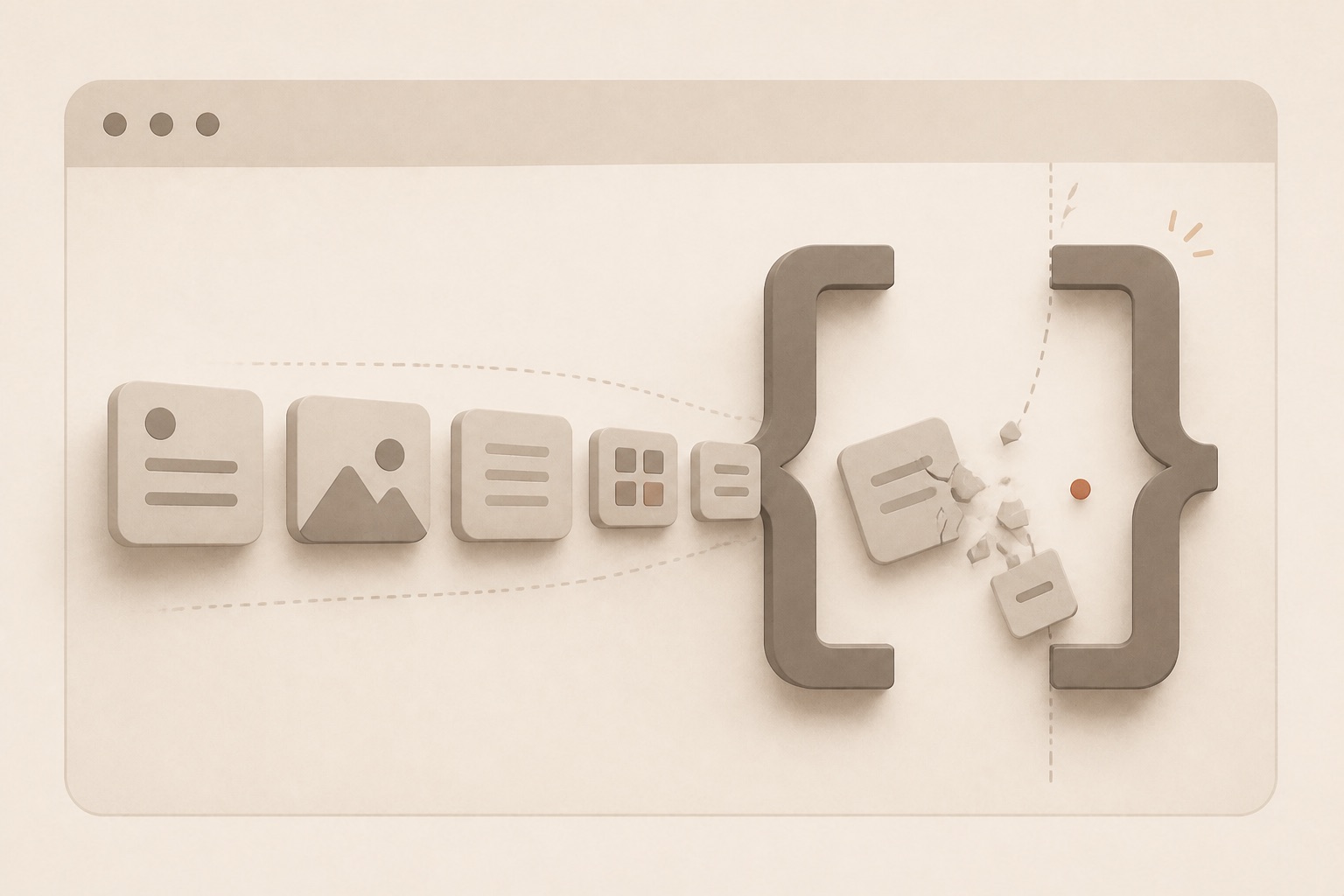
The WordPress editor reports “Updating failed” or “Publishing failed” because the response is not valid JSON.
-

How to Fix WordPress Changes Not Showing
You update a page, menu, style, image, or setting, but the public website continues to show the old version.
-

Elementor Will Not Save or Publish
Elementor shows an error, freezes, returns a server message, or fails when you select Update or Publish.
-
What to Do When Elementor Works Only in Safe Mode
Elementor works only after Safe Mode isolates the editor from the active theme and plugins.
-
How to Fix Elementor Stuck on the Loading Screen
Elementor opens to a spinning loader, blank panel, or editor screen that never becomes usable.
-

Website Emails Going to Spam or Showing Unverified
Messages sent by the website land in spam, show “via” or “unverified,” fail sender checks, or are rejected by some providers.
-

How to Fix a Missing WordPress Password Reset Email
WordPress accepts the password-reset request, but the reset message never reaches the user.
-
How to Fix WooCommerce Order Emails Not Sending
Customers, administrators, or both are not receiving new-order, processing, completed-order, refund, or other WooCommerce emails.